Table of Contents▼
The Drop Swap: How to Trigger Two Tracks at the Same Time
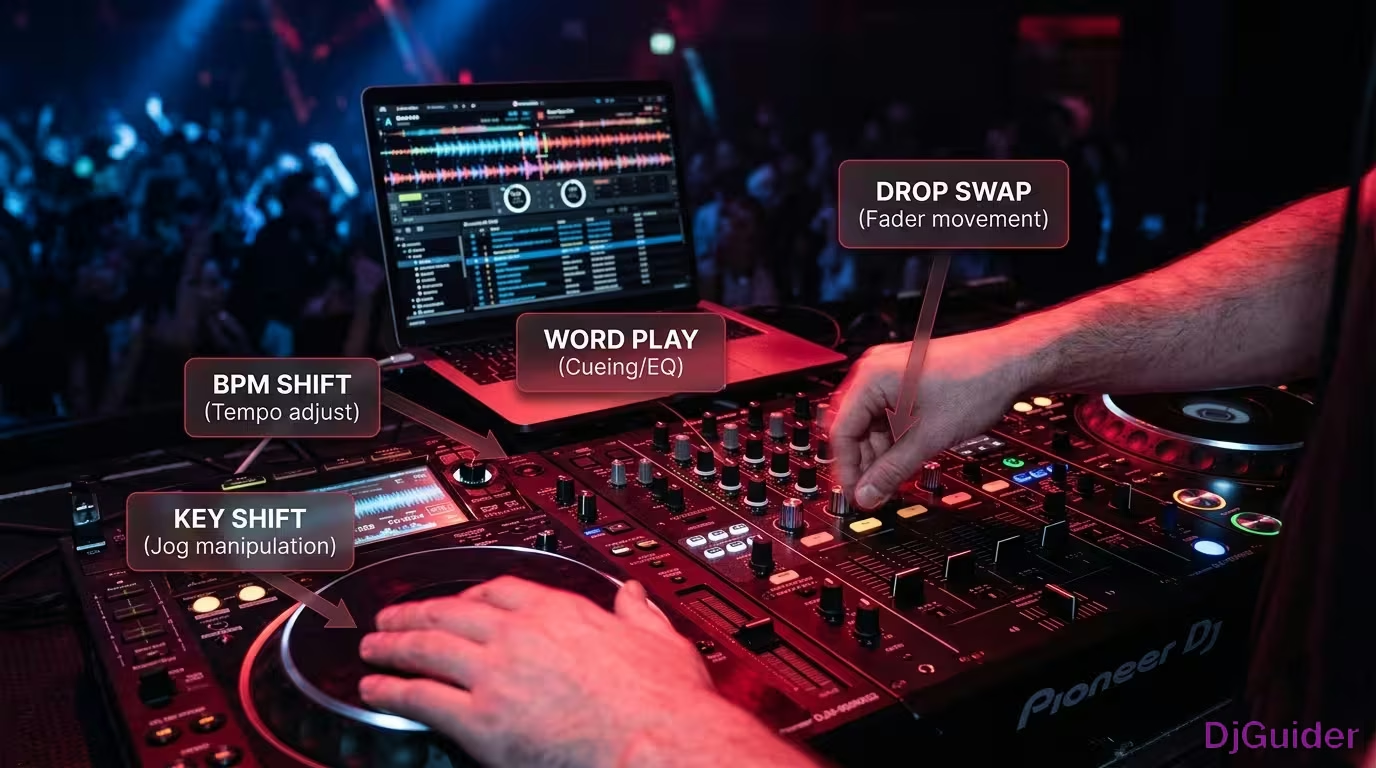
The drop swap tricks the crowd into expecting one drop and delivers a completely different one using the crossfader.
This works really well on tracks that are BPM matched, but also if they are in the same key. You can either use two tracks that are in the same key, or you can go into software like Rekordbox and hit key sync — that will be just fine.
The first thing you need to do is set a marker at a certain point. What works well is setting a marker 32 beats before the drop, so you can visually see when to trigger your track.
Open up your beat jump function — you can use this in any software. Go beat jump, then go 32 beats back, and then you've got a trigger point. That is 32 beats before the drop.
With a little bit of planning, go to your next track and find the drop. Open up your beat jump function, or you can do it on your controller, and go 32 beats back. Set a cue point at the same colour for reference.
These green cue points are 32 beats apart. If you trigger them at the same time with the same BPM, they should drop at the exact same time.
One final thing to do is make sure your crossfader is activated. You've got it on A for this track and B for deck B. You're going to split using the crossfader on the drop.
As the track is playing, make note of when your green cue point is coming in. Then trigger the green cue point on the right hand side on deck number two. You slowly bring up the fader, hit the drop, and then you can either get rid of it or leave it in for the full duration of the transition.
The only thing you need to remember is to count in fours. You're going one two three, one two three to get a nice pattern going. Then it's up to you whether you leave the transition going or whether you just come into your next track.
The drop swap tricks the crowd into expecting one drop and delivers a completely different one. Set a cue point 32 beats before the drop on both tracks, trigger them simultaneously, and split with the crossfader. Works best on BPM-matched, same-key tracks.
| Drop Swap Step | Action |
|---|---|
| 1 | Set a cue point 32 beats before the drop on Track A |
| 2 | Set a cue point 32 beats before the drop on Track B |
| 3 | Activate crossfader — A on one side, B on the other |
| 4 | Trigger both cue points at the same time |
| 5 | Count in fours — one two three, one two three |
| 6 | Split on the drop — decide to stay or transition out |
BPM Range Switching: Transitioning Between Very Different Tempos
This technique allows you to switch between big variations in BPM, making it ideal for open format DJs.
If you're an open format DJ, this one's for you. It also utilises sync, so for those creative DJs out there who want to learn, stick around.
The first thing you need to do is set a wide tempo range. On the controller you can see it says Tempo Range — change this to wide because you're going to need a big change in BPM variation. Hit shift on the Flex 10, go to your tempo range, and now you're at a wide tempo range, which gives you the most flexibility and the biggest variance in BPM on your tempo fader.
The next thing to do is hit the beat sync function. Then find an isolated vocal section. On the track in this example, there's a short vocal section that works well as a launch point for the trick.
To add a little bit of flare, select the trans effect on your controller. Then simply trigger your incoming track and increase the tempo fader to the drum and bass track coming in next.
Do a little bit of prep with your cue points on your incoming track. Have one cue point just on the intro of the drum and bass track, and then one just four beats before the drop. You're going to trigger that as you transition into the next track.
So as you're looping, increase your wide tempo fader, bring in the drums, and then drop into the drum and bass track. Drop the BPM down of the drum and bass track to match the house track at 130, then increase the tempo up to 174 as the transition builds.
Any DJs playing wide BPM ranges from 130 to 174, this will work with anything. If you're going from hip-hop to house, house to hip-hop, or trap to drum and bass, this technique can really help you out.
You need to set your controller's tempo range to 'wide' for the biggest BPM variance. Standard range won't give you enough room to jump from 130 to 174 BPM. Hit shift and adjust the tempo range before attempting this technique.
| BPM Range Switch Step | Action |
|---|---|
| 1 | Set tempo range to wide |
| 2 | Hit beat sync |
| 3 | Find an isolated vocal section on the outgoing track |
| 4 | Select the trans effect |
| 5 | Trigger incoming track and increase tempo fader |
| 6 | Loop and ramp tempo from 130 to 174 |
| 7 | Drop into the new track at full tempo |
Set wide tempo range, use beat sync and trans effect, then ramp your tempo fader from 130 up to 174 BPM. This technique works for any wide BPM jump — house to drum and bass, hip-hop to house, trap to drum and bass.
Word Play: Matching Lyrics Between Two Tracks
Word play is a technique where you incorporate words from one track going into another — it's been used in DJing for years and years.
It hasn't been used much on the electronic scene, so let's apply this to some house tracks. The first question people always ask is how do you find the words and how do you know what goes with what.
All it involves is listening to the track. So if you play the acapella, you listen to the words. In this example you've got phrases like:
- "push it, push it"
- "watch me work it"
- "I'm perfect"
Then literally go into your library and type in some of those words and see if any tracks come up. That's what produced the Missy Elliott bootleg match here — searching for "work it" in the library.
You've got two cue points set up — one just on the intro, and one 32 beats before the drop. As you're transitioning from the end of one track, the BPMs are matched up and you start to use your hot cues.
It's all about timings with your hot cues. You can do it simply by going on the number one beat and incorporating some patterns. By practising with no music or just practising to a drum beat, you can get some interesting patterns.
If you nail a drum pattern first with just a beat, you can really start to trigger your brain and your muscle memory into some really cool patterns. Then it's all about putting it into practice.
Listen to the acapella of your track and pick out distinct phrases. Then search your library for those same words — this is how the Missy Elliott bootleg match in the guide was found by searching for 'work it.' Practice patterns with just a drum beat first to build muscle memory.
It's one of those techniques that if you do that in a DJ booth surrounded by other DJs, they're going to give you that little nod of approval because they know exactly what you've just done.
| Word Play Step | Action |
|---|---|
| 1 | Listen to acapella and identify key phrases |
| 2 | Search your library for those exact words |
| 3 | Set cue points — one on intro, one 32 beats before drop |
| 4 | Match BPMs between both tracks |
| 5 | Trigger hot cues on beat one with timing and patterns |
| 6 | Practice to a drum beat first to build muscle memory |
It's one of those techniques that if you do that in a DJ booth surrounded by other DJs, they're going to give you that little nod of approval because they know exactly what you've just done.
Key Shift Looping: Using Pitch to Build Tension Before a Drop
Key shift is an underrated feature on any controller or DJ software that creates tension, atmosphere, and energy within a standard looping technique.
You're going up in semitones of pitch to create some difference and energy before dropping into the next track. Set up an active loop on your outgoing track, and put cue points on the incoming track — one on the drop on the one, and one four beats before.
With your BPMs matched up as the track is incoming, open up the key shift. All the key shift is going to do is give you that little rise in motion before you can drop into the next track.
Use two loops — a 4-beat loop to let the track build up. Begin to increase the pitch as the tension builds. Then add a little bit of echo into the end of it just to spice up the transition a little bit more.
Right at the end, open up the key shift, go back to the original key, and then trigger the active loop you already saved to the controller. It's a very advanced technique with a lot going on, but you can see the impact it can have.
It can just spice up your DJ sets from those boring standard transitions. Not that there's anything wrong with that — but these techniques give you more tools to work with.
There's a lot going on with this technique — active loops, key shift adjustments, echo effects, and cue point triggers all at once. Practise with just a drum beat first before attempting it in a live set. The impact is worth the effort.
| Key Shift Loop Step | Action |
|---|---|
| 1 | Set up an active 4-beat loop on outgoing track |
| 2 | Put cue points on incoming track — drop and 4 beats before |
| 3 | Match BPMs between both tracks |
| 4 | Open key shift and increase pitch in semitones |
| 5 | Add echo at the end of the buildup |
| 6 | Drop back to original key and trigger the incoming drop |
Increase pitch in semitones through a 4-beat loop, add echo, then drop back to the original key as you trigger the next track. It creates real tension and energy before a big drop.
Transition Techniques Summary Table
| Technique | Key Method | Best For |
|---|---|---|
| Drop Swap | Trigger two tracks 32 beats before the drop, split with crossfader | Same-key, BPM-matched tracks |
| BPM Range Switch | Wide tempo range, beat sync, trans effect, ramp tempo from 130 to 174 | Open format DJs, big BPM jumps |
| Word Play | Match lyrics between tracks using hot cues, count in on beat one | House, hip-hop, battle DJ style sets |
| Key Shift Loop | Increase semitones through a loop, add echo, drop back to original key | Building tension before a big drop |