
Table of Contents▼
In This Article
- State of the MacBooks
- What Is the XMG DJ 15?
- Who Is XMG?
- How They Achieved Low Latency
- Laptop Configurations
- Price
- Warranty
- Build Quality and Design
- Keyboard
- Touchpad
- Display
- Ports
- What We Liked
- What We Don't Like
- Touchpad
- Keyboard
- Speakers
- Display
- Questions I Asked XMG
- Q: To what temperature can this laptop handle and still be used smoothly?
- Q: Do I need to follow DJ software recommended optimization guides?
- Q: How did you pick the parts that resulted in the lowest latency?
- Q: Can you use the XMG DJ 15 for audio production software like Pro Tools, Logic, or Ableton Live?
- Q: Do I have to reinstall Windows periodically?
- XMG DJ 15 vs MacBook Pro
- Conclusion
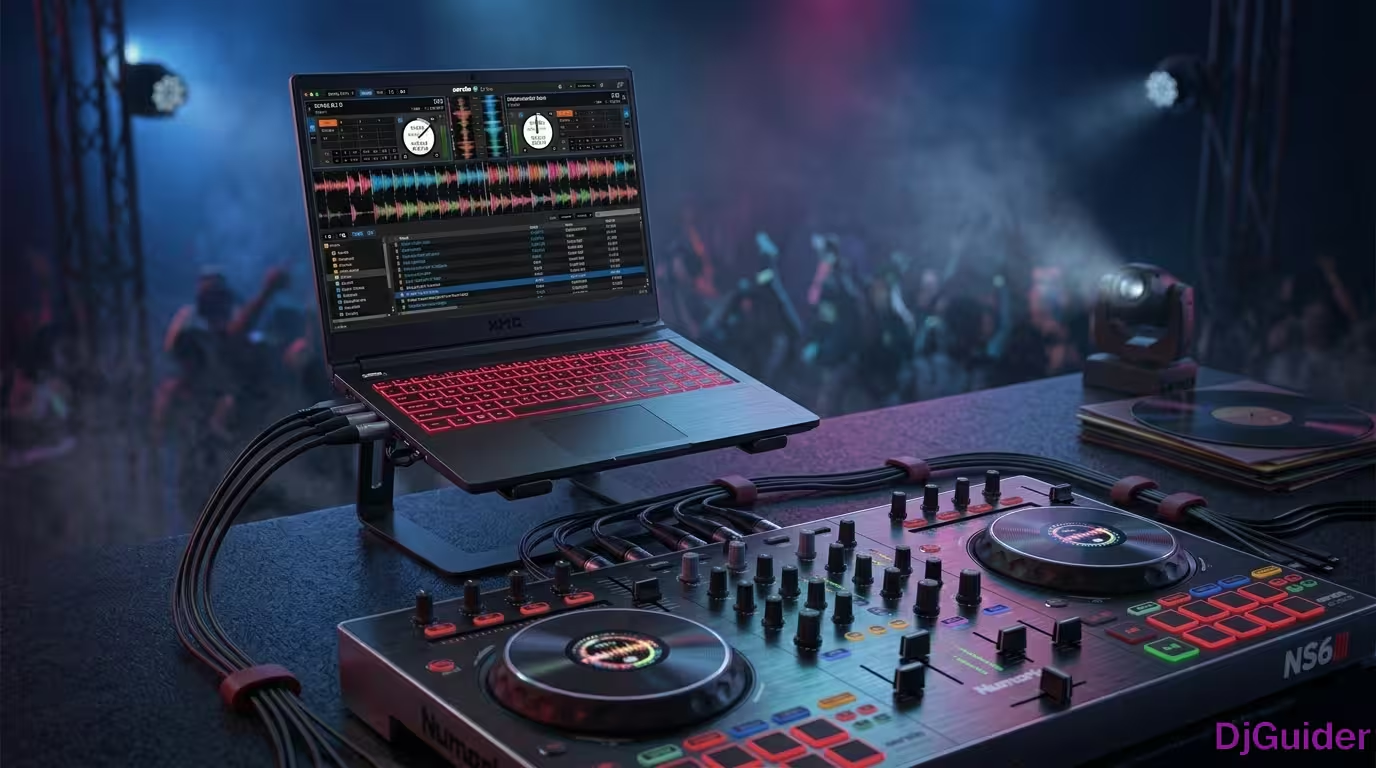
The XMG DJ 15 is the first laptop built from the ground up for DJs — not a repurposed gaming or lifestyle laptop. This review covers:
- Low DPC Latency: Less than 1ms — tested and optimized specifically for DJ software
- Build Quality: Lightweight, aluminum body, resin bottom, rigid display hinges
- Ports: USB-C Thunderbolt, HDMI, mini DisplayPort, Ethernet, SD card reader — all the I/O you need
- Price: €1,100 (i5) to €1,500 (i7) — user-upgradeable RAM and SSD
- MacBook Comparison: Outperforms the 16-inch MacBook Pro at lowest buffer settings
- Availability: Continental Europe and UK only (for now)
This is a detailed review of the XMG DJ 15, the first laptop built for DJs. Low DPC latency, tested by DJs, flexible connectivity, reliable and heat-resistant. You will find my full review, tests, and the questions I asked XMG. This review will clear your buying decision.
State of the MacBooks
For over a decade, the laptop of choice to run DJ software was dominated by the MacBook — specifically the MacBook Pro. When software like Serato Scratch Live started to mature, Apple's notebook computer became the predominant choice amongst DJs for its reliability, build quality, power, and aesthetics. For the non-tech-savvy DJ, it was simple — it just worked.
While some Windows machines at the time could match or exceed the power specs of the MacBook, the number of choices on the market made the decision-making a bit convoluted. Hardware could range from low-cost notebooks to high-powered gaming machines.
The Windows operating system from a decade ago was full of bloat and sometimes caused reliability issues when running DJ software. If you're not comfortable getting under the hood and optimizing your machine, you could run into problems.
Windows has come a long way since then — Windows 10 today is much more reliable. But the number of choices can still make choosing a Windows laptop confusing. What a lot of people don't know is that it's not just the operating system that affects how DJ software works — it's also the hardware parts that can affect the performance and latency of audio processing.
Apple is going through a paradigm shift with the Mac platform — actually two shifts: from macOS 10 to macOS 11 (Big Sur), and from Intel to Apple Silicon. Many DJ software and hardware companies are scrambling to get their gear and software ready. Pioneer DJ recently announced Big Sur compatibility, and Serato just released a beta of Serato DJ Pro that's Big Sur compatible, but it's not ready yet for M1 MacBooks. With many applications and hardware still waiting on Big Sur and M1 compatibility, it's not a wise time for DJs to buy a new Mac.
What Is the XMG DJ 15?
The XMG DJ 15 is a Windows notebook computer designed to be used with DJ software. It's the first of its kind — not a gaming laptop, not a lifestyle laptop, but a laptop specifically optimized to run smoothly with DJ software.
| Feature | Detail |
|---|---|
| DPC Latency | Less than 1 millisecond |
| Optimization | Custom hardware selection, modified BIOS, bloat-free Windows |
| Bloatware | None — closest thing to vanilla Windows installation |
| Buffer performance | Smooth operation at the lowest buffer settings |
| Stress test | Ran 4 DJ software applications simultaneously with stable resource usage |
Who Is XMG?
They are a computer company based in Germany that specializes in gaming laptops. Unofficially, XMG stands for Extreme Multimedia and Gaming. XMG is actually part of Schenker Technologies. The XMG DJ 15 is one of their recent products.
How They Achieved Low Latency
The way they did it: engineers at Schenker tested different hardware combinations and chose the ones that produce the least amount of DPC latency. The BIOS was modified, and Windows was modified to be bloat-free. You don't know how fast each part will work with another part until they're actually working together.
The best stress test I've seen on this machine was done by RK from XMG — it's what caught my attention. He ran four different DJ software applications simultaneously and triggered something in each one. The resource usage remained stable and relatively low.
Laptop Configurations
| Component | Option 1 | Option 2 |
|---|---|---|
| Processor | Intel i5 (4-core, 1.6 GHz, turbo to 4.2 GHz) | Intel i7 (4-core, 1.8 GHz, turbo to 4.9 GHz) |
| RAM | 16 GB (standard) | Up to 32 GB |
| Storage | 500 GB SSD | 1 TB or 2 TB SSD (SATA or PCIe) |
| Graphics | Integrated only | — |
One of the best features: the SSD and RAM are user-replaceable. You can start with a standard configuration and upgrade later — something you can't do on modern MacBooks.
Price
| Configuration | Price |
|---|---|
| Base (i5, 16GB RAM, 1TB storage) | €1,100 |
| Max (i7, 32GB RAM, 2TB storage) | €1,500 |
Mac users, keep in mind: the SSD and RAM are user-replaceable. You can start out with standard configurations and upgrade later.
Warranty
| Tier | Coverage | Price |
|---|---|---|
| Standard | 24 months + 6 months quick repair | Included |
| Platinum (highest) | 36 months + 36 months quick repair | €89 |
XMG has an amazing warranty. The included standard warranty is good for 24 months with quick repairs for up to six months. If you're willing to pay extra for extended warranties, there are six tiers total.
Build Quality and Design
| Aspect | Detail |
|---|---|
| Weight | Lighter than equivalent MacBook Pros (15" and 16") |
| Bottom | Resin cover — doesn't flex |
| Body | Aluminum — very rigid |
| Thermals | Large thermal vents with fan control utility |
Keyboard
| Feature | Detail |
|---|---|
| Type | Chiclet, backlit |
| Backlight | Changeable colors (like a gaming laptop) |
| Number pad | Included (I don't find much use for it as a DJ) |
| My preference | Teal or blue backlight |
I love chiclet keyboards and I love the one on here, especially since it's backlit. It's not individually backlit, but you can change the colors. There's a utility to control the colors, brightness, and when the backlight activates.
Touchpad
| Feature | Detail |
|---|---|
| Smoothness | Very smooth, no mistakes |
| Buttons | Two dedicated (left click, right click) |
| Multi-gesture | Yes |
| Fingerprint | Built into the trackpad |
| Offset | Slightly offset to the left — not centered with the keyboard |
While I do like the smoothness, I'm used to the Apple trackpad which is a single-click multi-touch pad with no buttons. I can use it by tapping, but I prefer feeling the haptic feedback or click. That's just my spoiled Apple side — you can always Bluetooth your own trackpad to the XMG.
Display
| Spec | Detail |
|---|---|
| Resolution | 1920 x 1080p (Full HD) |
| Finish | Matte (reduces glare) |
| Brightness | Good enough for indoor events and nightclubs |
| Hinges | Very stable — requires two hands to open |
The display is a matte finish to reduce glare. We know why that matters — in a dark nightclub or event with dance lights going everywhere, we don't want to be blinded by reflections from your laptop. MacBooks are generally glossy for contrast, but they can be a pain when there's light coming from behind you.
| Pro Tip | Why |
|---|---|
| Two hands to open | Means hinges are more stable — no wobbling when subs are vibrating the booth |
While matte is great for rejecting glare, the blacks don't look as black as they would on a glossy display. I'd love to see a glossy option in the next model for those who prefer contrast.
Ports
| Side | Ports |
|---|---|
| Right | Power supply, USB 3.0, USB 2.0, Microphone, Headphones |
| Left | USB-C (Thunderbolt), mini DisplayPort, HDMI, SD card reader, Ethernet |
You can also use the USB-C port to charge — which is how I normally use it in my setup.
For a thin, light laptop, the number of ports is incredible. USB-C Thunderbolt, HDMI, mini DisplayPort, Ethernet, SD card reader — everything you need as a DJ. No dongles required.
What We Liked
| Pro | Why |
|---|---|
| Lightweight | Lighter than 15" and 16" MacBook Pros |
| Low DPC latency | Less than 1ms — optimized for DJ software |
| Bloat-free Windows | Vanilla installation, no junk |
| User-upgradeable | RAM and SSD can be swapped |
| Ports | USB-C, HDMI, DisplayPort, Ethernet, SD card |
| Warranty | Up to 36 months with quick repair |
| Thermals | Large vents, fan control, handles heat well |
| Display hinges | Rigid, no wobbling from subwoofers |
| Matte display | No glare in dark club environments |
What We Don't Like
Touchpad
| Con | Why |
|---|---|
| Offset | Not centered with the keyboard |
| No haptic feedback | Buttons instead of single-click pad |
Keyboard
| Con | Why |
|---|---|
| Number pad | Takes up space, not useful for DJ software |
Speakers
| Con | Why |
|---|---|
| Poor quality | My iPhone 6s sounds clearer |
| Firing downward | Sound is muffled |
Let's just say my iPhone's speaker when playing back music sounds better than what's coming out of the XMG DJ 15 speakers. The only advantage is it's in stereo.
While DJ laptops are used with DJ gear anyway, DJs still use laptop speakers when organizing their library and previewing tracks. The speakers on this laptop are its weakest point.
Display
| Con | Why |
|---|---|
| Only 1080p | Not as crisp as Retina display with Serato |
| Black levels | Matte finish reduces contrast |
| No glossy option | Would be nice to have a choice |
Questions I Asked XMG
I got to have a conversation with RK, who was behind the development of the XMG DJ 15. Here are some of the questions I asked:
Q: To what temperature can this laptop handle and still be used smoothly?
If you've ever used a MacBook above 90 degrees outside, you start learning terms like "thermal throttling." There are laptops out there that just can't handle the heat — they start throttling back performance, resulting in glitchy audio and laggy performance.
RK himself performed at a music festival in Egypt where it was 104°F (40°C) outside. He did a whole set where the XMG DJ 15 performed flawlessly with no thermal throttling. That's well above the temperatures where I've seen two of my MacBooks start to glitch up.
Q: Do I need to follow DJ software recommended optimization guides?
If you download Serato, there's usually a guide to help you optimize your operating system — turn off Wi-Fi, turn off Bluetooth, etc. The answer is no, you do not need to go through the optimization guide unless you want to. The improvements on the parts, the BIOS, and the modification of Windows are more than enough.
Q: How did you pick the parts that resulted in the lowest latency?
Engineers at Schenker basically tested different combinations of parts. You don't know how fast each part will work with another part until they're actually working. They put different combinations together and whatever gave the best performance ended up in the XMG DJ 15.
That's actually one of the things Apple likes to claim — that their computers perform well because their parts work better together. Apple has no excuse, since these notebooks aren't specifically optimized for DJ use.
Q: Can you use the XMG DJ 15 for audio production software like Pro Tools, Logic, or Ableton Live?
The short answer is yes for light to medium audio processing — mashups or edits. But for major audio production with heavy plugins or multiple tracks, the answer is no. It would probably cost a thousand bucks more to get the XMG DJ 15 optimized for audio production.
Q: Do I have to reinstall Windows periodically?
When I used to have a Windows computer, every year or so the operating system got so messy that I had to reinstall. RK said if you use the XMG DJ 15 for just DJing and you're not visiting sketchy websites or downloading pirated software, you should be fine. Windows Defender has come a long way.
XMG DJ 15 vs MacBook Pro
| Comparison | XMG DJ 15 | 16" MacBook Pro |
|---|---|---|
| DPC Latency | Under 1ms | Higher |
| Lowest buffer performance | Faster | Slower |
| Resource usage (Serato/Rekordbox) | Lower | Higher |
| Price (configurable) | €1,100-€1,500 | $2,399+ |
| Upgradeable | Yes (RAM + SSD) | No |
| Ports | USB-C, HDMI, DP, Ethernet, SD | USB-C only |
| Availability | Europe / UK | Worldwide |
Mojica mentioned this in his review: this laptop actually comes out faster than the 16-inch MacBook Pro at the lowest buffer settings when using the same DJ software. That was tested by Professor BX. You might not notice the difference in 2-3 milliseconds, but what you will notice is Serato or Rekordbox's resource meter will actually be lower on the XMG DJ 15 than the more expensive 16-inch MacBook Pro.
Conclusion
| Pros | Cons |
|---|---|
| Lowest DPC latency of any DJ laptop | Only available in Europe / UK |
| Lightweight, sturdy build | Poor quality speakers |
| Excellent port selection | 1080p display (not Retina) |
| User-upgradeable RAM and SSD | Touchpad offset from keyboard |
| Handles high temperatures (104°F) | Number pad takes space |
| Bloat-free Windows | No dedicated GPU |
| Great warranty (up to 36 months) | Not suitable for heavy audio production |
| Outperforms 16" MacBook Pro at low buffer |
The XMG DJ 15 is a groundbreaking laptop for DJs. It's the first Windows notebook designed specifically for our needs, and it delivers on its promise of low-latency, glitch-free performance. While it has some drawbacks — the speakers are genuinely bad, and it's only available in Europe — for DJs who want a dedicated machine optimized for Serato, Rekordbox, or Traktor, this is the best option on the market.