Table of Contents▼
In This Article
- 1. Start by Learning the Basics of Mixing
- Getting Started with DJ Software
- 2. Choose Your First Equipment Wisely
- The DJ Controller
- The Laptop
- The Headphones
- The Speakers
- 3. Learn How to Beatmatch Manually
- How to Practice Beatmatching
- 4. Master Your EQ
- Essential EQ Mixing Techniques
- 5. Enhance Your Mixes with Effects
- 6. Experiment with Different Genres
- 7. Build Your Reputation and Get Gigs
- How to Start
- Branding Yourself
- Social Media Strategy
- 8. Practice, Practice, Practice
- Quick Recap
DJing is a skill that takes patience, practice, and the right approach. This expanded guide covers everything a beginner needs:
- Mixing Basics: Crossfading, EQ, and blending tracks
- Beatmatching: Why manual beatmatching matters and how to learn it
- Gear Selection: Controllers, headphones, speakers, and laptops — what to buy
- DJ Software: Serato vs Traktor vs Rekordbox — which one is right for you
- Skill Development: EQ techniques, effects, and phrasing
- Building a Career: How to book your first gigs, brand yourself, and level up
DJing is a great way to make money, meet new people, and have fun. It's also a lot of work — you need to learn how to mix, discover new music, and beatmatch. Here are essential tips for beginner DJs.
1. Start by Learning the Basics of Mixing
Mixing is the process of combining audio tracks into one cohesive mix. Tracks are combined using crossfading and EQ. This can be done manually or automatically using DJ software.
Mixing is a creative process that requires patience and practice. You can't just press play and expect something that sounds good — it takes experience and experimentation.
Don't try to learn everything at once. Focus on one skill at a time. Start with basic volume fader mixing, then add EQ, then work on crossfader techniques. Build your skills layer by layer.
Getting Started with DJ Software
There are several excellent DJ software options. The best one depends on your needs:
| Software | Best For | Price | Key Feature |
|---|---|---|---|
| Serato DJ Pro | All-around professional use | $250 | Widest controller support, rock-solid stability |
| Rekordbox DJ | Pioneer gear ecosystem | Free/Paid | Industry standard for CDJ preparation |
| NI Traktor Pro 3 | Electronic music / live remixing | $100 | Best effects and loop recording |
| Virtual DJ | Absolute beginners | Free/Paid | Easiest interface to learn on |
My recommendation: If you're just starting, try the free trials of Serato and Rekordbox before committing. Most controllers come with a free Lite version of Serato or Rekordbox, which is enough to learn the basics.
Take advantage of free trials to find the software that feels right. The best DJ software is the one that fits your style and helps you create the best mixes.
2. Choose Your First Equipment Wisely
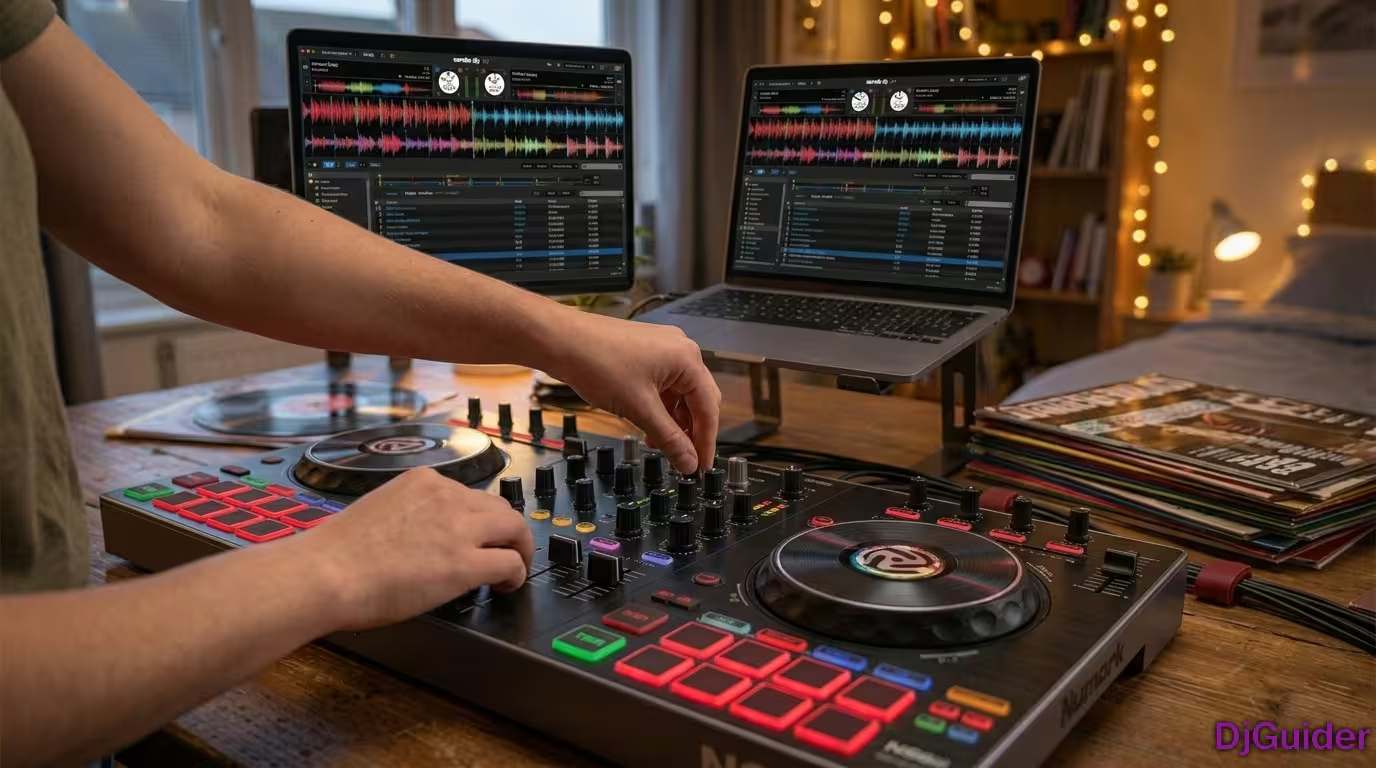
The DJ Controller
Your controller is your main tool. For beginners, look for:
- 2-channel controller with jog wheels (Numark Mixtrack Pro 3 or Pioneer DDJ-FLX4)
- Built-in sound card (saves money on external audio interface)
- Serato or Rekordbox compatibility
- Budget: $200-$400 for entry-level
The Laptop
Your laptop needs to handle real-time audio processing without glitches:
| Component | Minimum | Recommended |
|---|---|---|
| Processor | Intel Core i5 | Intel Core i7 |
| RAM | 8GB | 16GB |
| Storage | 256GB SSD | 512GB SSD |
| Display | Full HD (1920×1080) | Full HD or better |
Even the best laptop's built-in sound card won't match an external audio interface, so budget for one if your controller doesn't have a built-in card.
The Headphones
Closed-back over-ear headphones are essential for monitoring in loud environments. Top beginner picks:
- Sony MDR-7506 ($99) — Industry standard
- Audio-Technica ATH-M50x ($150) — Studio staple
- Sennheiser HD 280 Pro ($100) — Best isolation
The Speakers
For practicing at home, powered studio monitors work well. For gigs, you'll want PA speakers:
- Home practice: Powered monitors ($150-$300/pair)
- Small gigs (under 100 people): Mackie Thump 15" or EV ZLX15P ($270-$500 each)
When I first started DJing, my setup was simple — headphones, a controller, a laptop with Serato. That's all I needed! Start with essentials and upgrade as you grow.
3. Learn How to Beatmatch Manually
Beatmatching is the process of syncing two tracks together. Manual beatmatching is the most important skill to learn first:
| Method | Description | Best For |
|---|---|---|
| Manual beatmatching | Using pitch fader and jog wheel by ear | Building fundamental skills |
| Software sync | Traktor, Serato, or Rekordbox auto-sync | Live performance efficiency |
| Hybrid approach | Manual technique with visual waveform assistance | Learning while performing |
How to Practice Beatmatching
- Start with tracks that have similar BPMs — Close tempos make matching easier
- Match the kick drums — Adjust the pitch fader until kick drums align
- Use the jog wheel for fine adjustments — Nudge forward or backward to fix phase
- Practice until it becomes natural — The goal is to hear drift and correct it automatically
If you can beatmatch manually, you'll understand the mechanics and structure of mixing on a deeper level. Once you've mastered it, you can use auto-sync as a tool, not a crutch.
4. Master Your EQ
EQ is a powerful tool that shapes how your tracks sound:
| Frequency | What It Controls | Tip |
|---|---|---|
| Low (Bass) | Kick drum, sub-bass | Cut the low end on the incoming track before bringing it in |
| Mid | Vocals, synths, melody | Use to create space between two tracks |
| High (Treble) | Hi-hats, cymbals, shimmer | Gradually introduce to add energy |
When bringing in a new track, start with the bass EQ turned down. Bass frequencies from two tracks playing at once will sound muddy. Slowly bring the new track's bass in while rolling the old track's bass out.
Essential EQ Mixing Techniques
| Technique | What to Do | When to Use |
|---|---|---|
| Drop Mix | Kill the bass on outgoing track, swap tracks, bring new bass in | Club/EDM, quick energy changes |
| Blend Mix | Low-cut incoming track, slowly fade it in over 32 bars | House/techno, smooth transitions |
| EQ Swap | Alternately cut/boost frequencies between two tracks | Open format, versatile |
5. Enhance Your Mixes with Effects
| Effect | What It Does | When to Use |
|---|---|---|
| Reverb | Adds space and depth | End of a phrase, transitions |
| Delay | Creates echo and rhythm | Vocal chops, build-ups |
| Filter | Removes frequencies (high-pass or low-pass) | Smooth transitions, tension building |
| Flanger/Phaser | Adds movement and swirl | Instrumental sections, breakdowns |
Effects are like spice — a little goes a long way. Don't overdo it. A well-placed filter sweep or a touch of reverb on a transition can elevate your mix. Drowning every track in effects will sound messy.
6. Experiment with Different Genres
Each genre has its own style and sound. Mixing different genres challenges your beatmatching and teaches you how to use EQ creatively to blend tracks smoothly.
Try mixing a house track with a hip-hop track. The tempo difference will test your beatmatching, and the tonal differences will teach you EQ blending.
7. Build Your Reputation and Get Gigs
Once you have the skills, you need people to know you exist:
How to Start
- Play for free at house parties, small bars, and open mic nights
- Record your sets — build a portfolio of mixes to share
- Network with other DJs — they can refer you for gigs they can't take
- Create a press kit — links to your mixes, photos, and a short bio
Branding Yourself
- Choose a name that's easy to remember and spell
- Create consistent visuals — logo, colors, photos
- Define your sound — what genre or style do you play?
- Stay professional — show up early, be reliable, deliver great sets
Social Media Strategy
| Platform | Best Use |
|---|---|
| Instagram/TikTok | Short clips of transitions and "behind the booth" content |
| SoundCloud/Mixcloud | Full recorded sets showcasing your mixing ability |
| Facebook/Twitter | Announcing gig dates and interacting with your scene |
The last thing you want is to post complaints about other DJs. Focus on promoting yourself and maintaining a positive attitude. The industry is small — your reputation matters as much as your skill.
8. Practice, Practice, Practice
There's no shortcut to becoming a great DJ.
- Record and listen to your mixes — You'll hear mistakes you missed while playing
- Set practice goals — "This week I'll master EQ transitions" or "I'll practice beatmatching without looking at the screen"
- Collaborate with other DJs — Learning with others makes practice more fun and pushes you further
Start with simple mixing before moving on to advanced techniques. Build a solid foundation before you're in front of a crowd.
Quick Recap
| Priority | Action |
|---|---|
| 1 | Learn mixing basics — crossfader, EQ, volume |
| 2 | Master manual beatmatching |
| 3 | Invest in a solid starter setup (controller + headphones + laptop) |
| 4 | Learn your DJ software inside and out |
| 5 | Practice EQ techniques and effects |
| 6 | Record mixes and build your online presence |
| 7 | Play small gigs and network |
| 8 | Stay professional and keep improving |
The most important thing to remember is that DJing isn't a science — you can't just follow rules and expect it to work. The best way to improve is through experimentation and practice. So get out there and start mixing!