Table of Contents▼
In This Article
- The Four-Pillar Framework for Instagram Growth
- Pillar One: Inform — Making a Strong First Impression on Your Profile
- Your Profile Picture
- Your Bio
- Your Link in Bio
- Your Story Highlights
- Your Grid
- Pillar Two: Drip — Revealing Details Over Time to Build Intrigue
- Stories
- Grid Posts and Carousels
- Going Live
- Pillar Three: Reels — What You're Actually Getting Wrong
- Stop Writing 2013-Style Descriptions
- Settings and Features to Use
- The Remix and Sequence Features
- Pillar Four: Chat — Commenting and DMs Done Right
- ManyChat
- Commenting in Your Community
- Instagram DMs
- DJ Content Ideas: What to Actually Post
- 1. Record and Post Live DJ Mixes
- 2. Post Short Live Clips for TikTok, Reels, and YouTube Shorts
- 3. Film Your Entire Live Set and Use It as Umbrella Content
- 4. Record Yourself Practising at Home
- 5. Post Behind-the-Scenes Content
- 6. Go Live on TikTok While You're DJing
- 7. Start a Monthly Podcast or Upload Mixes to SoundCloud and Mixcloud
- 8. Use Polls and Questions on Instagram Stories
- 9. Never Post a Flyer Alone — Always Add a Photo or Video
- Why Content Is the Key to DJ Success
- Instagram Strategy Summary
- DJ Content Ideas at a Glance
Social media is essential for DJs to grow their brand, get booked, and build a fan base. The four-pillar Instagram framework (Inform, Drip, Reels, Chat) covers everything from your profile to fan relationships. Short-form video is king — record live mixes, film short clips on your iPhone, go live on TikTok while DJing, and never post a flyer alone. Consistency beats perfection: it may take 50 posts before one blows up, but when it does, the momentum is real.
Every DJ knows the feeling. You're talented, you can mix, you can read a crowd, you get the floor moving — but the online growth isn't matching the live energy. The inbox is quiet. The follower count is stuck. And you're wondering if you're invisible outside the walls of the club.
Here's the truth: you could be the most talented DJ in the world, but if people don't know about you then you're not going to progress. Social media is the megaphone that turns great sets into booked calendars.
This guide combines a complete Instagram growth framework with a full library of DJ-specific content ideas. Whether you're just starting out or looking to level up your online presence, everything you need is right here.
The Four-Pillar Framework for Instagram Growth
Instagram is still one of the most powerful platforms for musicians and DJs to build a real fan base. Potential fans go there to investigate artists they hear about, stay in touch, and deepen a relationship.
Reels are often where they first discover a new song. The DMs are where the real magic happens.
This strategy is built around four pillars: Inform, Drip, Reels, and Chat. These pillars cover everything from making a strong first impression on your profile to converting visitors into genuine fans over time.
Pillar One: Inform — Making a Strong First Impression on Your Profile
When someone hits your profile, they need to immediately understand what you're about.
One of the things we see repeatedly when we look at listener habits is that when the majority of music listeners have decided they like an artist, they start that relationship first with an Instagram follow. But before they do that, they first do a vibe check on that Instagram profile.
We've all done this. We first check to make sure this is even the right artist profile, since we've all made that mistake of going to the wrong artist profile. Then two weeks later wondering why we followed this artist who's hawking something called TCoin and writing songs about going to the moon.
Your Profile Picture
Your profile picture is one of the smallest images you'll ever display, so it needs to pop immediately.
Make sure the picture has enough pop in shape that someone can kind of make it out. If it has a vibe that gives cultural signifiers of your position, or that you belong in the community that your potential fans are going to be in, it's going to go a lot better. This can be done through colour palette, dress, or graphic design — just make sure it's legible.
Here's some insider publicity wisdom that exists in the back rooms but rarely gets discussed. There's a theory that this is the one thing you don't ever really want to change or alter. If you do change it, you want to change it as little as possible.
When this little picture comes up on the timeline next to your name, it gives a cue to the viewer about where they are watching content from. When you change it, they often think it's a stranger and they're being served some ad or someone else's content they don't care about — and they scroll faster.
The key is to change it only once every era at most. What we see repeatedly is that when people first change it, it can often drive down their watch time and their engagement. The colours of that icon start to tell people who you are, and when it's unfamiliar, you get scrolled past.
Your Bio
Your bio needs to sum you up or get people curious to go deeper — not show off like you already have millions of followers.
So many of you still do things like try "Dick Energy" out because you see some famous artist with millions of followers do this and think you're playing the same game. Instead, write something that sums you up or gets people curious to go deeper. Think about what the goal here is: to get this new potential fan to go further.
Things like writing "I'm the one" beg the question — the one what? That creates curiosity to go deeper.
Your Link in Bio
Your link in bio should be a traffic directory that gives anyone a quick way to get to know you however they prefer.
If that's YouTube, the link should be at the top. If it's Twitter — weird flex, but okay — give it to them. Only include the links that are important.
Once you hit around eight links, link-in-bios that get 100,000 views a month get less than a dozen clicks. These artists have fans who are obsessed with them, so truly don't bore them. Stick to the highlights in the order that will give them a good impression of you.
Your Story Highlights
Story Highlights are a commonly overlooked feature that fans actually do click on and investigate.
The first one you should have is pretty obvious: Music. Put up a story linked to a stream on YouTube or Spotify, so if someone likes what they hear, they can go get more. Simply alternate between Spotify and YouTube, and put up links to all your songs that would make a good first impression if a friend told them to listen to you.
After that, make buttons for things that will make a good impression for a new listener:
- A great live show
- Exceptional videos
- Sick merch
Think high-level categories, not just each single you have. Think Music, Live, Merch, Tour — things like that. Remember, the further to the right a button sits, the less likely it is to get clicked.
Your Grid
Pin three posts strategically — your best introductory content, not just your highest-view videos.
A lot of you pin the videos that got the most views, but on an Instagram grid it doesn't show the views. So that flex is a lot like a tree falling in a forest — no one sees it. Instead, just put your best foot forward.
When it comes to your grid aesthetic, the younger your audience the more you should pick a colour aesthetic and keep it in a similar vibe and colour set. Colour patterns aren't the only way to do this though. With pop stars, you need to be putting up constant carousels — that's part of the game. If you're a chill producer making lo-fi beats, you don't need to go crazy with carousels.
On archiving posts: one of the behaviours we see in studies is that fans will often scroll through your whole profile when they get obsessed with you, sometimes even multiple times. Giving fans your lore and story to buy into, and more conversation points to go deeper with you, is an asset. I sat on a train recently and watched a girl go through Chappell Roan's profile three times through the whole train ride — so this behaviour really does happen.
Instagram truly does not care if you archive or not. But trying to make it a vibe, a colour aesthetic, or something that feels striking and worth following will get a lot more followers than random, weird, saturated photos next to a random live shot — and that's what 99% of you have.
Pillar Two: Drip — Revealing Details Over Time to Build Intrigue
Drip is about consistently revealing details of who you are over time through Stories, Lives, and Grid posts.
Ever since TikTok ate their lunch, Instagram's CEO has been openly sharing how to succeed on the platform. One of the things Instagram seems to be on and on about now is that they want more quality stories.
Stories
One engaging story now gets far more engagement than seven mediocre stories.
Once upon a time, Instagram rewarded those who treated stories like a faucet that was always on and flowing. Now they seem to prefer drip that is high quality. One tight pick that's edited well will go way further.
Instagram stories is one of the only places where links can get posted, and they definitely punish them with reach. A way around this is to instead post a story with a question that will inspire a lot of people to DM you an answer. Not a poll — but engagement where they send you answers to your DMs.
This could be something like "What should I listen to?" or "What's the best pizza in Brooklyn?" Right after that, put up the story with your big announcement in the next post. It will get way more engagement, as the question post will get your stories moved up in the algorithm, and the one with the link right after will also get seen.
You can still have those days once or twice a month where you do Ask Me Anything sessions and fill up everyone's story feed with lots of posts — you'll still get decent engagement. Use locations on things, and if you really want to be annoying, use countdowns. When Instagram launches new features, using them early will juice your posts.
Always add your song to your Stories, Reels, and Carousels. This is how you get your music heard.
Pro tip: If you can't get the "Add Music to Library" button, simply Google it with the current month and year — the instructions change frequently and that's the fastest way to find current guidance.
The real thought process behind a good story is: what do I have to announce, and what can I put up that will either get shares or engagement in the DMs? That will usually get you to the right thought. If you can reinforce your positioning and promote your music while doing that, you have a winner idea.
Always use that Close Friends button. Add your most engaged fans there to make them feel special, so your stories get seen by the people most enthused in your fan base. Is it annoying adding them? Hell yes. Does it help? Hell yes.
Grid Posts and Carousels
The most engaging image always goes first, and a single image post is never worth it.
If you just take a good image or two and then do a photo dump of some fun stuff, that will always perform better — even if the later photos are pretty mid. Collab posts are really the secret sauce here. The thing we constantly see is that collab posts with one or more creators will go further than your best solo posts.
Always add your music to Carousel posts too, since so many people are scrolling with the sound on. You need to use this to help get your hook heard and into their head.
Captions are still an amazing place to get some serious storytelling done and to bond with fans. The power of storytelling in Instagram captions is important — don't overlook it.
Going Live
Going live is one of the best ways to juice your reach, especially when you have an announcement.
Post stories and a single grid post announcing when you're going to go live. If you're going to have guests, collaborate on the posts and tag them in your story. Tell people the time a few days to a week in advance so you can get as many people there as possible.
Go live for an hour, answer questions, and most of all make sure you have prepared some ideas of what to talk about. Look at Google News, find things you can discuss that'll be fun to your audience, and most of all engage with people's questions.
Pillar Three: Reels — What You're Actually Getting Wrong
Reels are largely the same as TikTok, but there are specific mistakes DJs make on Instagram that are easy to fix.
Instagram is getting closer and closer to being smart enough to not care what your hashtags are. If you're in algorithmic jail, find the right hashtags and keywords to put in your video — but that's a separate deep dive.
Stop Writing 2013-Style Descriptions
For your Reel descriptions, stop writing things like "Out now! My new song streaming on Apple Music!"
We've all been doing this for years. If someone likes the song, they will go find it or ask in the comments — which drives up your engagement. Instead, make an interesting, funny, or provocative comment on the video that shows personality. No more promoting your show at a local venue when you're talking to an international audience of strangers and trying to go viral.
Settings and Features to Use
Several Reel settings are commonly ignored but can meaningfully improve your reach and quality.
- Set reels to automatically cross-post to Facebook — a lot of people do watch music content over there
- Only cross-post to Threads on your most important reels, since it's not really what people are on text apps for
- Enable closed captions and the translate feature — many people use these, and it ups your engagement
- Upload at the highest quality, especially if you're on Wi-Fi
- Use local hashtags and locations if you're promoting a local show — it helps you get seen in that market
- Tag other accounts involved in the video legitimately — do not tag The Weeknd just to get reach; it does nothing for you
When it comes to typing text on top of your video, there's no definitive evidence that doing it in CapCut or DaVinci rather than Instagram's own tool gets your video punished. Choose your own adventure — I've seen videos go viral using both methods.
The Remix and Sequence Features
The Remix feature is Instagram's version of TikTok's Duet, and it can help the algorithm understand where you belong in a community.
The Sequence feature lets you take different videos and put them in a new continual order. Both of these are great for helping Instagram recommend you to the best possible fans. Honestly, no one really knows how to use the Sequence feature well, so don't feel bad if you skip it for now.
Use the Close Friends feature on Reels too. You can choose to only show certain Reels to your close friends, make your fans feel special, and try to draw up a conversation — because fans brag to other fans about being in your close friends list.
Pillar Four: Chat — Commenting and DMs Done Right
Commenting and DMing on Instagram is a massive part of the game, and how you handle it matters a lot.
ManyChat
ManyChat is a chatbot tool that sends your song directly to someone's DMs when they comment a keyword.
As of now, ManyChat still seems to be working, though Instagram recently appeared to get aggressive about potentially punishing its use. This is one to stay tuned on. There are countless videos on how to use ManyChat well — feel free to explore those if you want to go deep.
Commenting in Your Community
Being a presence in your community's comment sections gets others curious about you and builds real name familiarity.
Commenting on other musicians' and influencers' posts is a great way to get people curious enough to check out your profile. It also builds community and friendships with other artists. Participating in your own comments is huge too.
Scrolling through and responding to as many comments as possible once a day — even with fast replies — works to boost engagement. Instagram loves you being an active participant and clearly rewards it. This won't be your make-or-break, but if you want to juice a current post or era, it can really give some push.
Instagram DMs
DMs are where modern fan relationships are really built, and you need a clear personal approach to handling them.
Once you start DMing with a fan, it often becomes a big deal and the fan will crave it and judge their relationship by it. So you have to be careful about who you open the door to. Great friendships are also formed here with peers and other industry professionals.
You can use DMs for sincere thanks. Say something like "I rarely get to read these but it made me so happy to see what you did." You can even leave voice messages to make fans feel extra special.
When you're below a few thousand followers, it's important to answer a lot. Those early fans often end up being people you stay close with — something about that bond really works for longevity.
Check your message requests regularly. A lot of great opportunities are waiting in there. Some people find DMs an acceptable place to do business, and you do not want to miss that.
Pro tip: Use a business account so you can sort messages into Primary and General folders. This makes managing notifications far more manageable, and leaving some people in request jail is absolutely necessary.
DJ Content Ideas: What to Actually Post
Now that you understand the Instagram framework, here's a full library of DJ-specific content ideas — the actual posts that get you booked and build your brand.
1. Record and Post Live DJ Mixes
Recording live DJ mixes is one of the simplest and most effective pieces of content you can create.
Out of all the mixers you're used to playing with, there will either be a record out function which gives you a nice levelled, balanced output so it's not distorted, even when you are slamming the reds. If you're using a program like Serato or rekordbox there's also an option to record internally.
Personally what I do when I work with DJs is I run out of the recorder on a mixer and into a Zoom H6 or an audio recorder — could be a Tascam, it could even be an iPhone if you've got the right leads. Then what I do is I record the crowd and I record the feed from the mixer, and I mix it all down and play around with it in editing.
You get a really, really nice clean recording of the set with a little bit of crowd noise sprinkled in, and it's really really good. Stuff like that can really elevate you in terms of your audience online. People love to hear a little bit of the atmosphere, they love to hear the crowd reactions.
Nine times out of ten I know a lot of you are flexing a little bit more out at a club than you are at home practising. A lot of you are probably playing out four to five times a week. So it's a great way just to build an audience — if you do a really really cool show, record it, put it online, people can listen back to it, it's a cool piece of content.
2. Post Short Live Clips for TikTok, Reels, and YouTube Shorts
Short-form content is going crazy right now, and you need to be utilizing short, fun clips from your live sets.
Whether it's on your phone or whether you get a videographer in to film, the one key thing I would say is you need to have that clean audio. Sometimes you can get away with it with iPhones — they have really, really good inbuilt sound cards, it auto levels so it shouldn't really distort.
A great example of this is James Hype. A load of the content he posts he's just done on his iPhone. I've talked with James as well and we've just used an iPhone sometimes over clips captured on a camera — sometimes it just works better. It's more realistic, you feel like you're more there in the moment.
Don't be scared to use an iPhone. Learn how to use your phone, play with the settings, see what works. Test, test, test — you just need to test and put content out.
3. Film Your Entire Live Set and Use It as Umbrella Content
Filming your whole live set gives you one long piece of content you can cut into many shorter clips across every platform.
Whether you get a proper camera crew in, set up a little GoPro you've got lying around, set up your iPhone recording you, or have a friend's iPhone recording the crowd — then take it in and learn how to edit in Final Cut, Premiere, or even CapCut. There are so many different and even free options now.
You can then also have your really high quality audio recording and take that in. The bonus is that you get one long piece of amazing content to put on YouTube, and then you can cut that up. If you've done 10 amazing transitions in the hour or hour and a half, you can cut those into clips and use them on Instagram, TikTok, YouTube Shorts.
All of a sudden you've gone from one piece of content to like 10. It's definitely worth the investment, especially if you know it's going to be a really good show — a really busy one, the crowd's really, really high. It's a great piece of what we call in the industry an umbrella of content: you create one piece and then you feed off it and make more.
4. Record Yourself Practising at Home
Recording yourself practising at home is one of the easiest pieces of content you can create and it costs nothing.
If you have a setup at home, in a studio, or even your bedroom — just record you practising, record some new transitions, record some word plays, and just put them online. It can be the audio directly recorded or it could be the audio from your phone.
If you go through TikTok or YouTube Shorts right now, loads of these clips are blowing up. And sometimes the actual mixing isn't that great, or they're not doing much — then clips will blow up, they'll do hundreds of thousands of views, thousands of likes.
If you're actually very talented and you have skill and you can back it up and video that and put it online, then you have the chance to blow up as well. One thing I do have to caution is that this isn't going to happen overnight. You might post 40 videos, you might post 50 videos, and then all of a sudden one goes.
The Joe Labelle story: A DJ I work with really, really closely — we were posting for months and months, nearly a year, constantly just putting out content. Then it took one clip to absolutely fly. We piggybacked off the back of it and in the space of three months his account went from 2,000 followers to over a quarter of a million. He's now getting bookings worldwide. His talent was never the problem — it was telling the world. The only way we can tell them is through content.
5. Post Behind-the-Scenes Content
Behind-the-scenes content gives your audience a personal look at your life as a DJ and builds a deeper connection with fans.
If you make a little bit of music on the side, or edits or reworks, be like "here's how I made this." Here's how I set up for my club gig. Here's what I do — a day in the life of a DJ, behind the scenes of me going to a gig.
This could be you selfie-ing it or your friend filming on their phone. One thing I'm really trying to iterate is that you don't need expensive cameras to produce content. There is so much you can do with this thing — the cameras are great, the audio is great on them.
Even if you wanted to do talking stuff on them, you can just buy a little clip-on mic for like £50. There's a lot you can do with a phone.
Sometimes you might have a gig where you want to get a videographer in because you want that higher quality content. It is also good to have that — iPhone content for short-form platforms and also some really good high-quality clips. A lot of the stuff we do with Joe was filmed on proper cameras and the quality is just insane when you get someone who knows what they're doing.
The clip will already be insane, but if you then get the right colour grade, the right lighting, the DJ lit well, everything in focus, even a little bit of camera movement in time with the beat — it takes that clip to that extra level. It's all subconscious. You're adding more to it, you're seasoning it up. You don't always have to get videography, but sometimes it's good too.
6. Go Live on TikTok While You're DJing
Going live on TikTok while you're DJing is one of the easiest ways to reach a massive global audience in real time.
We actually tested this with one of my DJs. We set the phone up behind the DJ so like half the shot was the DJ and half was the crowd. We did mad numbers on the stream.
You're not really paying attention to it — like it's just there. Obviously you can't really reply to comments because you're DJing. But there's so many people, especially if you're doing it for a UK nightlife setting — you've also got other time zones in their early evenings, so they're on their phones, they're active, it's a weekend.
All of a sudden you get this mad global traffic and you also get people who are sat in bed on their phone at 2AM browsing through TikTok. The potential to hit a really, really big audience is definitely there.
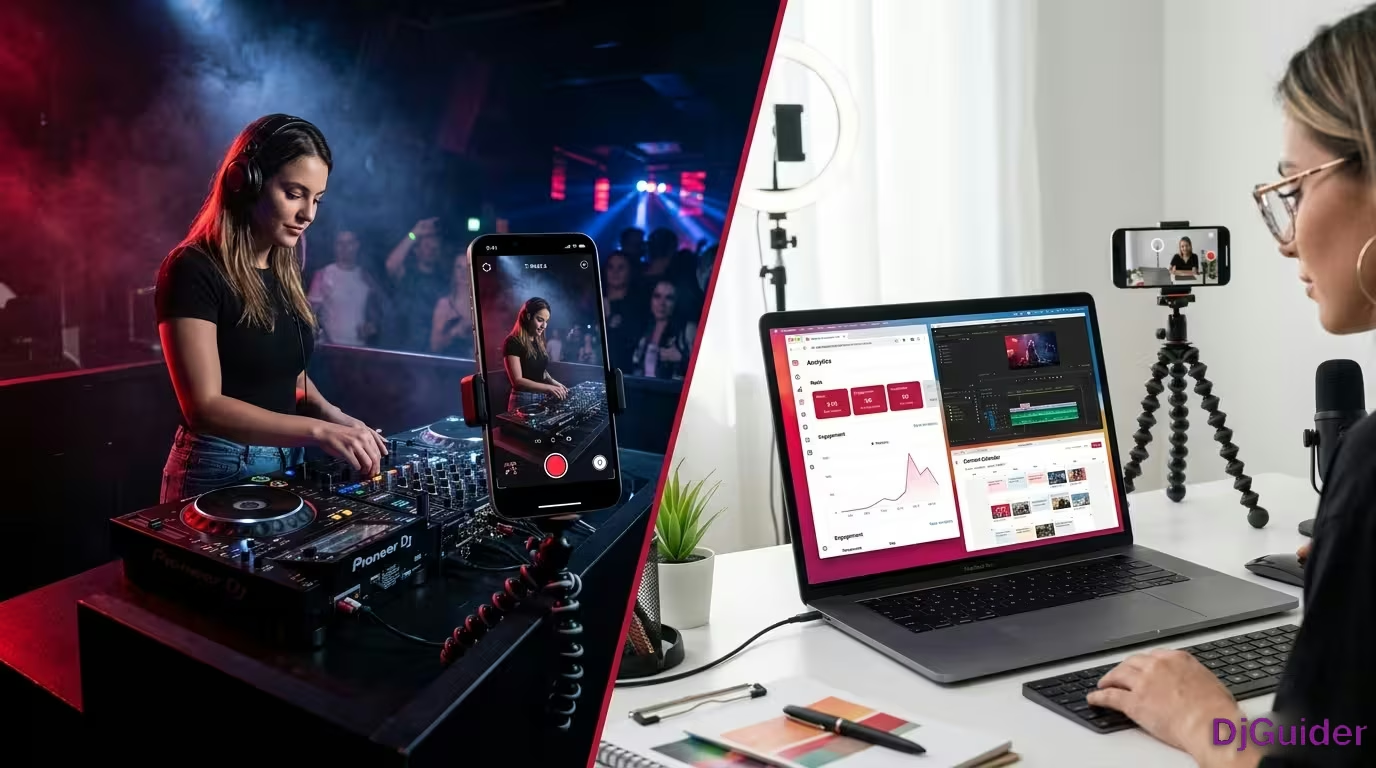
It's so easy — literally just get a little phone holder tripod, a GorillaPod, a monopod, anything. Even prop it up on a speaker if you can without it falling off. Just hook it up, go live on TikTok, and just see what happens.
You might find you build a nice little following through doing that. If you've got a residency where you're playing every Thursday, Friday, Saturday, it can become a little bit of a regular thing. You don't have to do the whole set — just do it half an hour, do it 45 minutes, just give it a try and see what works.
7. Start a Monthly Podcast or Upload Mixes to SoundCloud and Mixcloud
A lot of people feel there's no value in putting mixes on SoundCloud or Mixcloud, but there are still thousands of mixes being listened to every single day.
Me personally, the DJs I listen to — I will go find their live mixes from clubs, say like Club Space Miami or something at a festival. You don't just have to be doing massive shows in order to record them and put them online.
If we revert back to the first idea about recording really good high quality audio of your sets with a little bit of crowd noise, you start putting them online, promoting them on socials. If you really want to push it, say on the mic while you're there: "Hey, listen to my mixes, I'm on SoundCloud." Have a little QR code so anytime people come up to the booth they can scan it.
There are so many different ways you can build your brand out as a DJ. Putting longer-form content like live sets and mixes is a great way for people to find your stuff and listen to it over a longer period of time.
8. Use Polls and Questions on Instagram Stories
Using polls and questionnaires on Instagram Stories can really spike engagement and drive traffic back to your profile.
Some of you may already know, but if you use these they really spike engagement on your stories, which can then lead onto your profile. So if you've got an announcement coming up or a big post you want to do, or even just day-to-day interacting with fans — just put a question up, put a poll up.
It could be anything. It could even be not related to music — it could be what you prefer: Tottenham or Arsenal, fish and chips or Chinese. There are so many different options.
As you're starting to build a fan base, people will like it because they feel like it's a way they can interact with you. Especially if you then take people's responses and reply to them — have a little bit of fun with it.
9. Never Post a Flyer Alone — Always Add a Photo or Video
If you're posting a flyer online, do not just post the flyer on its own.
The algorithm scans and recognises it's a lot of text and it just won't get pushed as much. It's also not very pleasing to the viewer.
Always join it with either a photo or a video. Is there a way you can take the dates from a flyer and merge it into a video file — a bit like a boomerang or a loop?
You might be thinking you'd have to pay a videographer to do this — no, you can do that on Canva. You can do it pretty easily. They have a great animate option and I've been a videographer for 10 plus years and I still sometimes go to it because it's way quicker for me than opening After Effects and going all crazy.
There are so many tools available to you. If you utilize them in the right way you can really, really help build your brand and build awareness around you.
Why Content Is the Key to DJ Success
Content is King — and if you're not putting it out, you simply cannot expect to grow at the same rate as someone who is.
With the example of Joe — if we hadn't been putting out content for Joe, Joe would still be doing his residencies. Now he's able to go and do guest bookings and doesn't have any residencies at all. That was all because of the content.
The content he was putting out enabled him to get exposure to a much larger audience, which then in turn showed people his skills, showed people what he was about, the energy he brought to the crowd. We could then utilize that going forward to bring in bigger gigs.
I get that some people don't want to put a lot of time into social media, and that's absolutely fine — if that's what you want to do, that's cool. But you know, you can't then expect to grow at the same rate as someone who is putting out a lot of content. Ultimately content is key and it's the key thing that's going to get you successful.
Instagram Strategy Summary
| Pillar | Key Focus | What to Prioritise |
|---|---|---|
| Inform | Profile first impression | Profile pic, bio, link in bio, highlights, grid |
| Drip | Reveal over time | Quality stories, carousels, collab posts, going live |
| Reels | Video content | Descriptions, settings, cross-posting, community features |
| Chat | Community building | Comment sections, DM relationships, ManyChat |
DJ Content Ideas at a Glance
| Content Type | Key Notes | Best For |
|---|---|---|
| Live DJ Mix Recording | Use record-out, Zoom H6, mix in crowd noise | SoundCloud, Mixcloud, YouTube |
| Short Live Clips | iPhone works great, clean audio is key | TikTok, Reels, YouTube Shorts |
| Full Set Film | One shoot = 10+ clips, edit in CapCut or Premiere | YouTube + short-form everywhere |
| Home Practice Clips | No expensive gear needed, talent gets noticed | TikTok, YouTube Shorts |
| Behind the Scenes | Day in the life, gig prep, studio sessions | Instagram, TikTok |
| TikTok Live DJ Set | Phone on tripod, half DJ half crowd shot | TikTok Live |
| Podcast / Mix Upload | Monthly mixes, promote with QR code at booth | SoundCloud, Mixcloud |
| Instagram Polls | Spikes story engagement, builds fan interaction | Instagram Stories |
| Animated Flyer Posts | Use Canva animate, never post a static flyer alone | Instagram Feed |