Table of Contents▼
In This Article
- What You Need to Know Before Buying a DJ Controller
- Sub-$100 DJ Controllers: The Entry-Level Options
- Sub-$100 Step-Up Controllers: Numark Party Mix 2 and Hercules DJ Control Impulse 200 MK1
- $100–$200 DJ Controllers: Where Brands Really Battle It Out
- Numark Party Mix Live
- Pioneer DDJ-200
- Hercules DJ Control Impulse 300 MK1
- Numark Mixtrack Pro FX
- My Pick: $100–$200 Range
- $200–$300 DJ Controllers: The Best of the Entry-Level Market
- Reloop Buddy
- Numark Mixtrack Platinum FX
- Native Instruments Traktor Kontrol S2 MK3
- Reloop Ready
- Hercules DJ Control Impulse 500
- Pioneer DDJ-REV1
- Pioneer DDJ-FLX4
- Final Thoughts: What to Consider Before Buying Your First DJ Controller
- Summary: All DJ Controllers Under $300 Compared
What You Need to Know Before Buying a DJ Controller
Before spending money on any DJ controller, you need to understand that you also need a piece of DJ software for it to work.
That software can run on a laptop, a mobile phone, or an iPad. There are various options to consider.
Most software has a free version, and then you might have to think about paying a subscription to unlock more features. Different controllers unlock different software as standard.
- DJ software — free version included, paid upgrade optional
- A device — laptop, mobile phone, or iPad
- Wired speakers — Bluetooth speakers won't work
- Headphones — monitoring is essential
- Music source — your own library or a streaming service subscription
Sub-$100 DJ Controllers: The Entry-Level Options
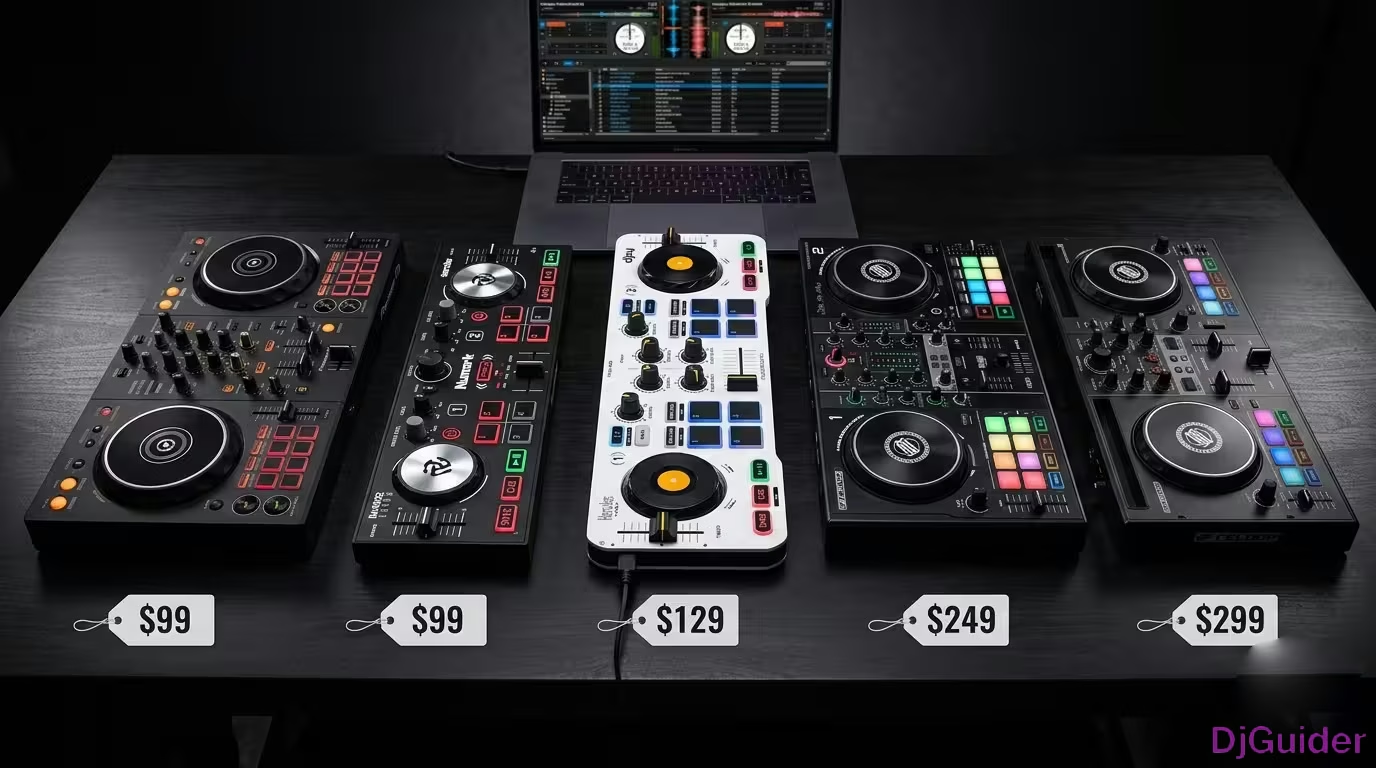
At the sub-$100 level, there are two controllers that stand out: the Hercules DJ Control Mix and the Numark DJ2GO2 Touch.
These small, thin-profile designs are really designed to just add a few buttons, faders, and knobs to a piece of DJ software. They're not really controllers first — they are an extension of the software that gives you some tactile functionality.
They come in super cheap, so this is really that "I just want to try it out, I don't want to spend much money" option.
These small, thin-profile designs are really designed to just add a few buttons, faders, and knobs to a piece of DJ software. They're not really controllers first — they are an extension of the software that gives you some tactile functionality.
The Hercules DJ Control Mix is designed to connect to your phone. The Numark DJ2GO2 Touch is more designed for laptop software. Choose the one that matches your setup.
They allow you to do some really basic mixing. The big thing to note with these style of controllers is they only have a cross fader, and that's fine.
However, as you step up the controllers, you'll see that the mixer section becomes a bit more robust. It gives you more flexibility when blending between songs, which is where the biggest downfall is with these real entry-level controllers.
If you're just trying it out, you're probably going to want to use your mobile and use algoriddim DJ Pro, which is the software that comes with the DJ Control Mix. There is a paid upgrade for that software to unlock the pro version and loads of other features within the application.
It works on iOS, Android, and Mac or Windows PC as well, so it's cross-platform, which is really good.
| Controller | Target Device | Software | Best For |
|---|---|---|---|
| Hercules DJ Control Mix | Phone (iOS/Android) | algoriddim DJ Pro | Mobile-first beginners |
| Numark DJ2GO2 Touch | Laptop | Laptop software | Laptop-first beginners |
Sub-$100 Step-Up Controllers: Numark Party Mix 2 and Hercules DJ Control Impulse 200 MK1
If you want to keep it under $100 but get a more complete setup, the Numark Party Mix 2 and the Hercules DJ Control Impulse 200 MK1 are worth that extra $10 to $20.
You get a more standardised layout, which you want to get familiar with as a DJ because it emulates what you're going to find on higher-level gear. The mixer section is much more mapped out towards what a higher-level DJ controller or CDJ setup would look like.
It starts to build up a bit of muscle memory around how you would go about mixing and gives you more control over that mixing process. The jog wheels are also much bigger, which is important for DJs.
Both controllers harness the power of Serato DJ Lite, which is a laptop DJ software made for beginners. They've stripped it to just its essentials so you're not getting confused by what all these different features are within more powerful software.
The Hercules also works with their Juiced DJ software, which is their own proprietary software with quite a few more pro-level features out of the box. You have the flexibility of choosing both.
If you wanted to upgrade Serato DJ Lite to Serato DJ Pro, you can pay an extra fee and unlock other features. It can grow with you slightly as a DJ and start to unlock more performance features that you can utilise to get a bit more creative when mixing.
I don't really have a favourite between these two — they're both great brands and they both do what you need them to do as a beginner DJ. You can mix perfectly fine on them. They've got proper audio output so you can plug your speakers in, and they've got some basic performance features to start getting a bit creative with music.
If I were really to choose between the two, let me highlight one feature from each.
On the Hercules, you have a dedicated stems pad mode. Stems is a new feature that's come to DJs within the software and it's really powerful — it allows you to isolate vocals or just instrumentals so that you can create cool mashups. It's nice to see that as a dedicated feature on this piece of hardware.
On the Numark Party Mix 2, there are three lights on the back which you can set to an auto mode. It can create a bit of an atmosphere if you're playing for some friends in a bedroom. It just adds that extra something to the controller — not needed as a DJ, but something worth pointing out that's unique to this product at this price range.
| Unique Feature | Hercules DJ Control Impulse 200 MK1 | Numark Party Mix 2 |
|---|---|---|
| Dedicated stems pad mode | ✅ | ❌ |
| Built-in lights/atmosphere | ❌ | ✅ |
| Software options | Serato DJ Lite + Juiced | Serato DJ Lite |
$100–$200 DJ Controllers: Where Brands Really Battle It Out
This is where the brands really start to battle it out, and you start to see a common standardised layout across all the different products.
There are four products worth highlighting within this range.
Numark Party Mix Live
The Numark Party Mix Live comes in at the lower end of this price bracket. It's the same as the Party Mix 2 but with speakers on top as well.
As a DJ, you'll need wired speakers — you can't use a Sonos Bluetooth speaker or a JBL Bluetooth mini thing. You've got to use wired speakers that plug into the controller.
If you have to buy some DJ monitor speakers, this could be a good solution because it bundles it all into one. It's still very easy and affordable to just try it out and get started. It doesn't have as many performance features and it doesn't feel as nice to mix on as some of the other products, but it comes in at the lower end of the price point.
As a DJ, you'll need wired speakers — you can't use a Sonos Bluetooth speaker or a JBL Bluetooth mini thing. You've got to use wired speakers that plug into the controller.
Pioneer DDJ-200
Pioneer DJ are the market leaders when it comes to DJ equipment — they're found in nearly every DJ club and bar around the world. The DDJ-200 introduces you to their ecosystem.
Pioneer DJ really is an ecosystem they have built. They've got the software, the hardware, and the marketplace as well. It works with their own software, Rekordbox — the same software you would eventually use if you moved on to playing on CDJs in clubs.
It also works with algoriddim DJ Pro, so you can use the app on your phone. It's also Bluetooth enabled, which provides wireless connectivity to the software on your phone or iPad. Just to be aware — that's not Bluetooth like sending audio to a Bluetooth speaker. That functionality is not included.
You can use a mobile, an iPad, or a laptop. Rekordbox has their own app as well — it's pretty new and not quite as powerful as algoriddim DJ Pro, but again it's all within that ecosystem.
Hercules DJ Control Impulse 300 MK1
The Hercules DJ Control Impulse 300 MK1 works with Serato DJ Lite and with Juiced, their proprietary software. It's a very good, solid controller and really nice to mix on.
It's really the first controller that feels like it could be something you're going to keep for much longer. It's got the audio outputs you need to connect to normal speakers, and it's got 16 pads with a load of dedicated pad mode buttons — really useful for getting a bit more creative on the decks.
Hercules have some good tools for helping with beat matching and the basics of DJing with the beat line feature, which is one of the unique things they bring to their hardware and software. It sits mid-range within this $100 to $200 bracket. It's a very solid controller — highly recommended, definitely worth considering.
Numark Mixtrack Pro FX
The Numark Mixtrack Pro FX has been out for years and years and years. My favourite thing about this controller is it introduces full-size tempo adjusts.
On the Hercules, these are quite small and don't give you as much control when changing the speed of a song. When you move on to playing on higher-end gear such as CDJs in clubs, the tempo fader becomes much bigger and you have more control.
The Mixtrack Pro FX replicates the size of that tempo fader, which builds muscle memory for when you're beat matching and getting your BPMs right. That's probably the standout feature for me on this controller. The jog wheels feel really nice on it as well.
| Controller | Software | Standout Feature |
|---|---|---|
| Numark Party Mix Live | Serato DJ Lite | Built-in speakers — no extra purchase needed |
| Pioneer DDJ-200 | Rekordbox + algoriddim DJ Pro | Rekordbox ecosystem, Bluetooth enabled |
| Hercules DJ Control Impulse 300 MK1 | Serato DJ Lite + Juiced | 16 pads, stems mode, beat line feature |
| Numark Mixtrack Pro FX | Serato DJ Lite | Full-size tempo faders — builds club muscle memory |
My Pick: $100–$200 Range
If you're going to force me to buy one entry-level DJ controller within the $100 to $200 range, for me it would have to be the Pioneer DDJ-200. The only reason I say that is because of the Rekordbox ecosystem.
If you start managing your music library on your laptop using Rekordbox software, then as you progress and potentially upgrade to higher-end controllers, and if your end goal is to play in bars or clubs, that is definitely the best place to get started within this price bracket. You get involved in their ecosystem and start preparing your music within it from the get-go.
If you're going to force me to buy one entry-level DJ controller within the $100 to $200 range, for me it would have to be the Pioneer DDJ-200. The only reason I say that is because of the Rekordbox ecosystem.
However, the other controllers I mentioned are all solid. I would probably lean towards the Hercules Impulse 300 MK1 as a good alternative because of the flexibility of it working with a few different softwares, the build and feel of it, and those extra performance pad modes that unlock a bit more creativity as a beginner DJ.
$200–$300 DJ Controllers: The Best of the Entry-Level Market
This is the exciting price bracket — there are a lot of controllers here, so let's go through them.
Reloop Buddy
The Reloop Buddy is really designed for algoriddim DJ Pro — using your iPhone or iPad. It's a great compact controller that unlocks the power of the DJ Pro software and comes in at the lower end of this price bracket.
It's a good option if you really want to commit to using your phone or iPad with a nice compact controller.
Numark Mixtrack Platinum FX
The Numark Mixtrack Platinum FX is basically the same as the Mixtrack Pro FX but with a bit more money involved because it has onboard displays on the jog wheels.
It brings key information DJs use — like BPM information and how long's left of the track — away from the laptop screen and down onto the equipment. That can be a nice touch if you want to spend that extra bit of money.
Native Instruments Traktor Kontrol S2 MK3
When the Native Instruments Traktor Kontrol S2 MK3 came out many years ago, I absolutely loved this controller. It is the starting point I would say for any DJs who want to commit to the Traktor DJ software.
Now, this software hasn't had much love in previous years from Native Instruments — it's kind of been left as is with not many updates. It's definitely behind in terms of the functionality of all the in-depth creative stuff that some of the other DJ software can do.
However, it is still a very solid piece of software, and I don't want that to put you off thinking about using Traktor as your chosen software. This hardware feels really nice to play on and it is just a great way to unlock that Traktor DJ software and get started.
Reloop Ready
The Reloop Ready — the thing I don't like about this is it changes the standardised layout and puts the tempo adjusts on the mixer rather than next to the decks. That can throw you off a bit, especially if you start to upgrade your gear and you've built up muscle memory of where your hands are going.
It works with Serato DJ Lite and unlocks quite a few of the performance features within it. It's a decent option to think about, but definitely not my standout product within this price bracket.
Hercules DJ Control Impulse 500
If you decide you want to use Serato DJ Lite and eventually move on to Serato DJ Pro, I would recommend the Hercules DJ Control Impulse 500 as a good standard DJ controller.
It's built well. It has RGB lighting, which you don't find at this price bracket on really any other controller. It feels really nice to mix on. It's got the proper outputs for your speakers.
This is one of my favourite controllers at this price bracket if we're going to eliminate Pioneer DJ and the Rekordbox side of the market and just focus on other brands. It's a really, really good option.
Pioneer DDJ-REV1
The Pioneer DDJ-REV1 has a layout that might look a bit strange at first — the tempo adjusts are up on the top, not by the decks, and the performance pads are on the mixer section rather than under the jog wheel.
There is a reason for it, and it's why I like this controller for what it is. It's designed by Pioneer DJ and built for the Serato DJ Lite software in particular.
It emulates what a battle DJ layout would look like. If you ever see DJs playing on turntables doing a lot of open-format mixing, scratching, mashing up between genres, and being very performance-based, they'll usually be using turntables with what you call a battle mixer in the middle. That is ultimately what this layout is replicating.
For the turntablist DJs — the ones that aspire to be that kind of DJ, really focusing on scratching and performance-based DJing — this could be the best option to get started. It builds that muscle memory of where your hands are going in a quick motion to change the tempo and apply performance effects.
That is where the REV1 is a standout product within the range. It will set you up to grow within the battle DJ market.
The Pioneer DDJ-REV1 emulates a battle DJ layout. For the turntablist DJs — the ones that aspire to be that kind of DJ, really focusing on scratching and performance-based DJing — this could be the best option to get started.
Pioneer DDJ-FLX4
The Pioneer DDJ-FLX4 is the most popular product on the market at this price range, and for good reason. We absolutely love this product.
It's called the FLX4 which means it works with a multitude of different softwares:
- Rekordbox — Pioneer DJ's own software
- Serato DJ Lite
- Virtual DJ
- DJ Pro by algoriddim
You can use your phone with it, your iPad with it, your laptop with it. It really works with everything and allows you to try out lots of different software at the start to figure out which one is for you.
Going back to the Rekordbox ecosystem — if you start managing and preparing your music in the Pioneer DJ software, it's much easier to then move to CDJs in the clubs. If you aspire to be a club DJ, a bar DJ, someone that plays out regularly, this is definitely the best place to get started.
It also inherits that club layout. You can use some of the pro effects and performance features found on very high-end gear, all within this entry-level product. It ticks pretty much all the boxes for me.
The Pioneer DDJ-FLX4 is the most popular product on the market at this price range, and for good reason. It works with Rekordbox, Serato DJ Lite, Virtual DJ, and DJ Pro. You can use your phone, iPad, or laptop with it. It inherits the club layout and includes pro effects. It ticks pretty much all the boxes.
Final Thoughts: What to Consider Before Buying Your First DJ Controller
The thing to think about is budget — how much are you willing to spend, and what else do you need to buy alongside the controller.
If you can stretch to the higher end of $300, definitely go for something at that price bracket because it will stay with you much longer. Spend just $70 and you will want to upgrade very quickly. These higher-end products you could stick with for quite a long time — a few years, definitely.
You might need to buy speakers and headphones as well, so that pushes your budget higher. Keep that in mind when deciding what you can afford.
You'll also need to think about music. All of these controllers work with different streaming services like SoundCloud, Tidal, Beatport, and Beatsource — the most common across all the different DJ controllers and software. That would be a recurring payment to consider.
As for the software, everything that comes with it you can get started with, but you might want to unlock extra features by paying for an upgrade. The good thing about Rekordbox is that it has a lot within the software at the get-go. Same with Juiced, which works with the Hercules controllers — it has quite a lot of power when you first plug in, and you don't have to pay to upgrade to certain features.
- Controller — $70 to $300 depending on your budget
- Speakers — wired only, £50–£200+
- Headphones — essential for monitoring
- Music source — streaming service subscription (£10–£20/month) or your own library
- Software upgrade — optional, unlocks pro features
Think carefully about where you want to go as a DJ, because that will affect what you buy in the beginning.
Summary: All DJ Controllers Under $300 Compared
| Controller | Price Bracket | Software | Best For |
|---|---|---|---|
| Hercules DJ Control Mix | Under $100 | algoriddim DJ Pro | Mobile-first beginners |
| Numark DJ2GO2 Touch | Under $100 | Laptop software | Laptop-first beginners |
| Numark Party Mix 2 | Under $100 | Serato DJ Lite | Beginners wanting more layout |
| Hercules DJ Control Impulse 200 MK1 | Under $100 | Serato DJ Lite / Juiced | Beginners wanting more layout |
| Numark Party Mix Live | $100–$200 | Serato DJ Lite | Beginners with no speakers |
| Pioneer DDJ-200 | $100–$200 | Rekordbox / algoriddim | Aspiring club DJs |
| Hercules DJ Control Impulse 300 MK1 | $100–$200 | Serato DJ Lite / Juiced | Flexible, multi-software beginners |
| Numark Mixtrack Pro FX | $100–$200 | Serato DJ Lite | Muscle memory for full-size tempo faders |
| Reloop Buddy | $200–$300 | algoriddim DJ Pro | Phone and iPad DJs |
| Numark Mixtrack Platinum FX | $200–$300 | Serato DJ Lite | Beginners wanting onboard displays |
| Native Instruments Traktor Kontrol S2 MK3 | $200–$300 | Traktor DJ | Committed Traktor users |
| Reloop Ready | $200–$300 | Serato DJ Lite | Feature-focused beginners |
| Hercules DJ Control Impulse 500 | $200–$300 | Serato DJ Lite / Pro | Non-Pioneer brand loyalists |
| Pioneer DDJ-REV1 | $200–$300 | Serato DJ Lite | Battle and scratch DJs |
| Pioneer DDJ-FLX4 | $200–$300 | Rekordbox / Serato / Virtual DJ / algoriddim | Aspiring club DJs wanting maximum flexibility |